REA Tutorial: Analyze an Electron App, .NET DLL or Android APK You Own With Your AI Agent (2026)
Practical REA walkthrough on software you own or open source: Electron/ASAR, .NET assemblies, Android APKs and native binaries, with official commands and agent prompts.
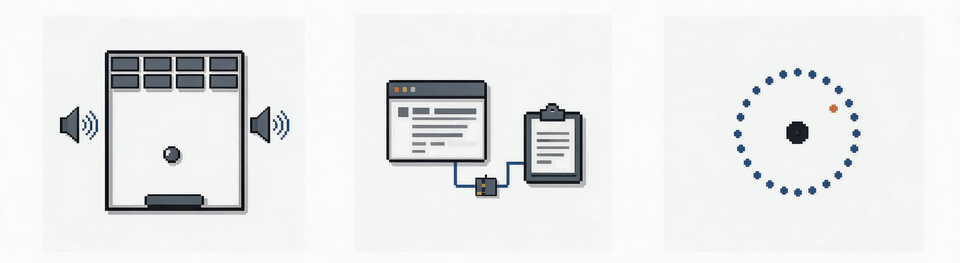
Short version: the safest and most useful first REA projects are software you wrote, you're licensed to debug, or that is open source: your own Electron app, an open-source desktop app, your own .NET plugin, your own APK, or a legacy internal tool your company owns. This walkthrough gives the commands and agent prompts for each, all taken from REA's official docs.
Prerequisites: REA installed and registered with your agent (install guide). For native binaries, a backend (Ghidra/Hopper/IDA guide). Background: What is REA?
Ground rule: REA's own disclaimer says it's for lawful research, interoperability, preservation and "software you own or are authorized to examine". It won't help with bypassing DRM or license checks, cheats, or copying proprietary code or assets. Many commercial EULAs prohibit reverse engineering. Read more in our legal FAQ and in Is reverse engineering legal?
The workflow in one picture
From the README: your agent calls REA over MCP. REA inspects the target locally and returns findings with evidence (code, references and unknowns). The agent then explains the behavior or writes and tests its own implementation. REA "does not claim to recover original source code". Treat the output as evidence to understand, not a copy to ship.
Walkthrough 1: an Electron app (static, no backend)
Good targets: your own Electron app's production build, or an open-source one such as VS Code OSS or an app whose repo you can compare against.
Step 1: run the analysis and save it. The docs warn that full evidence can be hundreds of MB for a real app (a 334 MB file for Obsidian), so save it to a file:
rea analyze-javascript-application /absolute/path/to/app --json > app-evidence.json
The target is an extracted app folder or an .asar file. This is static: the app is not executed.
Step 2: look at a small summary instead of the whole file (needs jq):
jq -c '{source: {kind: "inline", evidence: .}, view: {kind: "summary"}}' app-evidence.json > app-view.json
rea inspect-analysis-view app-view.json
According to the docs, the 334 MB Obsidian evidence came down to a summary of about 10 KB. To page through modules, swap the view for {"kind": "page", "collection": "modules", "offset": 0, "limit": 32}.
Step 3: ask your agent. Example prompts:
Using REA, analyze the Electron app at /path/to/my-app/resources/app.asar.
Show how the renderer reaches the main process for the "export to PDF" feature:
list the IPC channels, preload bridge and main-process handler, with evidence.
Mark anything you're inferring vs. directly observed.
Compare this production build with my source repo at ./src and tell me which
modules in the bundle have no matching source file.
This mirrors REA's own Notion showcase, which traces a clipboard API from the renderer through preload and IPC into the main process.
Walkthrough 2: a .NET assembly you own (static, no backend)
Use case: a plugin DLL you shipped years ago whose source got lost, or your own build to check against the one you deployed.
rea inspect-managed-artifact /absolute/path/Assembly.dll --json
rea inspect-managed-members /absolute/path/Assembly.dll --json
rea inspect-managed-members /absolute/path/Assembly.dll --type Example.Parser --json
These commands read metadata and CIL without loading or running the assembly. They don't unpack single-file hosts or IL2CPP, and NativeAOT method bodies need the native backend.
Prompt:
With REA, inspect ./legacy/OurCompany.Importer.dll. Explain how the CSV parser
handles quoted fields, then write a unit test suite in our new C# project that
reproduces that behavior so we can replace it safely.
Walkthrough 3: your own Android APK
Prerequisites from the Android guide: a full JDK 17+ and jadx-headless-mcp 0.7.1, with the path in the environment:
export REA_JADX_MCP_JAR=/absolute/path/jadx-headless-mcp-0.7.1-all.jar
REA returns manifest declarations, classes, decompiled methods and references. Prompt:
Open my release APK at ./build/app-release.apk with REA. List every declared
permission and exported component, and flag anything that shouldn't be exported.
That's a quick pre-release security self-audit. It isn't a way to modify someone else's app.
Walkthrough 4: a native binary you compiled (Ghidra)
Compile a small C program yourself, or use an open-source tool, then:
rea analyze /absolute/path/to/program --provider ghidra --json
rea search /absolute/path/to/program "search" --provider ghidra --json
rea function /absolute/path/to/program main --provider ghidra --json
rea trace /absolute/path/to/program "search" --provider ghidra --json
function returns a dossier and decompile returns pseudocode. Use the --snapshot /path/program.json option to cache results between CLI runs.
Prompt (in the spirit of the official DX-Ball and Calculator showcases):
Our legacy in-house tool ./bin/reportgen rounds totals differently from the new
service. Use REA to find the rounding routine, show the pseudocode and assembly
evidence, then write a C# function plus tests that matches it on 1,000 inputs.
Built-in guided prompts
REA exposes six MCP prompts your agent can use: investigate_feature, compare_application_versions, verify_reconstruction, trace_crash, audit_residual_unknowns and prepare_bounded_process_capture. trace_crash is especially handy for debugging your own software. compare_application_versions is good for "what changed between v1.2 and v1.3 of my app?"
Prompting tips that work
- Use absolute paths. The docs use them throughout.
- Ask for evidence and unknowns. REA's prompts already ask agents to keep observations, inferences and unknowns separate. Hold your agent to that.
- Keep questions narrow. "How does X work" costs far fewer tokens than "explain the whole app" (see token costs).
- Write your own implementation and test it. Don't paste decompiled code into your product.
Next: compare REA with alternatives.
Facts and commands in this guide come from REA's official README and docs on GitHub (repository morluto/rea, npm release 6.4.0 checked by the project on 2026-10-11) and rea.tools. REA changes quickly. If something here doesn't match what you see, trust the current docs.
More in this REA series
- Background: What is REA? Timeline, the Adobe/Excel clone confusion and legal stakes
- How to Install REA and Connect It to Claude Code, Codex or Cursor (Step-by-Step, 2026)
- REA with Ghidra, IDA or Hopper: Which Backend to Pick and How to Set It Up (2026)
- REA vs GhidraMCP vs IDA Pro MCP vs Binary Ninja MCP: AI Reverse-Engineering Tools Compared (2026)
- REA Troubleshooting and FAQ: Common Errors, Token Cost, Privacy and Staying Legal (2026)
- Legal context: Is reverse engineering games legal?
← Back to all posts