DLSS 5 issues explained — and how to use DLSS 5 Swapper (v2.2.1)
DLSS 5 performance and RTX 50 lock explained, with official NVIDIA before/after stills (Zorah, ramen chef, NBA 2K27) and a DLSS 5 Swapper v2.2.1 apply guide.

TL;DR — DLSS 5 is NVIDIA's neural-rendering step beyond upscaling: it adds lighting and material response on top of a frame, is officially RTX 50-series only at launch, and carries a roughly 50–60% average performance cost that NVIDIA itself has described—hence the heavy Multi Frame Generation (MFG) numbers in demos. Community tool DLSS 5 Swapper (MIT, v2.2.1) can install/manage Feeder or OptiScaler routes on Windows; it is not an NVIDIA product and warns about anti-cheat.
If you only saw "hundreds of FPS" charts for NBA 2K27, you missed the hard part. DLSS 5 Neural Rendering is a different job than DLSS Super Resolution, and the community swap tools that appeared alongside launch are a separate story from native Streamline toggles.
What DLSS 5 actually is
TechPowerUp's technical preview (Gamescom briefing with NVIDIA's Edward Liu) draws a sharp line: older DLSS features are reconstruction—there is a ground-truth frame the model is trying to recover. DLSS 5 Neural Rendering adds photorealistic lighting and material response (subsurface scattering, contact shadows, cloth sheen, and similar) on top of what the game already drew. There is no single "correct" answer frame, which is why NVIDIA exposes developer controls to dial intensity, mask regions, or leave artistic intent alone. Geometry and silhouettes are supposed to stay as the renderer produced them.
Wccftech's Q&A notes DLSS 5 runs on Tensor cores (Blackwell fifth-gen for the official path), is independent of other DLSS features (it can sit on a native raster path), and does not add frame-generation-style wait-for-next-frame latency—extra cost is the model itself on the current frame.
Before / after: official NVIDIA comparisons
Wikimedia Commons still has no free-licensed DLSS 5 game stills. The pairs below are NVIDIA GeForce News promotional images (© NVIDIA / Visual Concepts / 2K), linked from NVIDIA's CDN—not rehosted by us. Open the GeForce DLSS 5 NBA 2K27 post for their interactive 4K sliders.
Zorah demo (neural rendering off → on)

DLSS 5 OFF — NVIDIA Zorah demo still

DLSS 5 ON — same Zorah shot with Neural Rendering
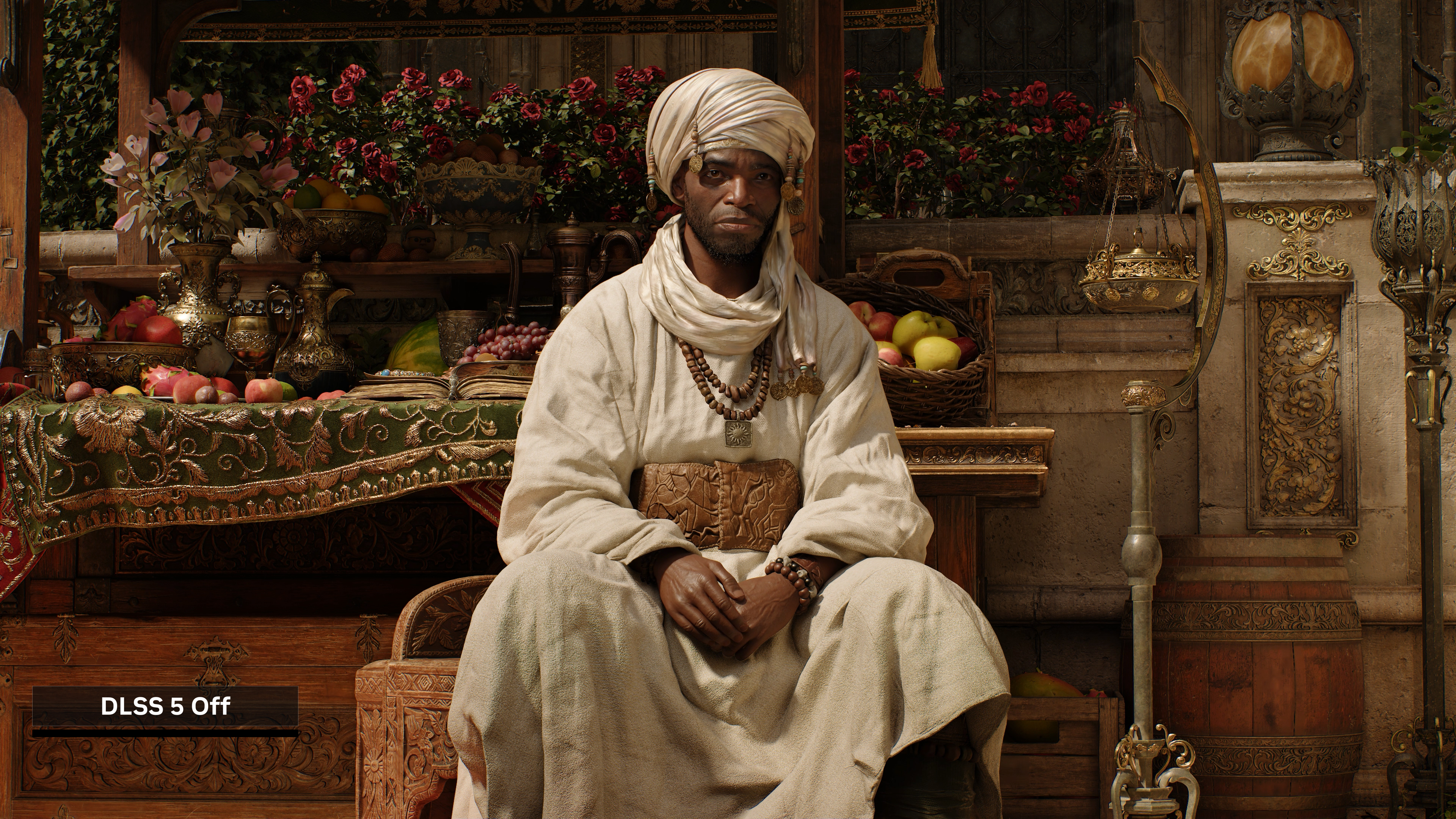
DLSS 5 OFF — second Zorah pair

DLSS 5 ON — second Zorah pair
Artist-control demo (ramen chef)
NVIDIA uses this character to show geometry staying put while lighting/materials change.

DLSS 5 OFF — ramen chef demo

DLSS 5 ON — subsurface scattering / contact shadows on the same face
NBA 2K27 (Cade Cunningham, Tyrese Haliburton, crowd)
Per NVIDIA's write-up: skin subsurface scattering, contact shadows on neck/jersey, hair light transmission; Haliburton sleeve ambient occlusion; courtside crowd gains richer skin/material response.
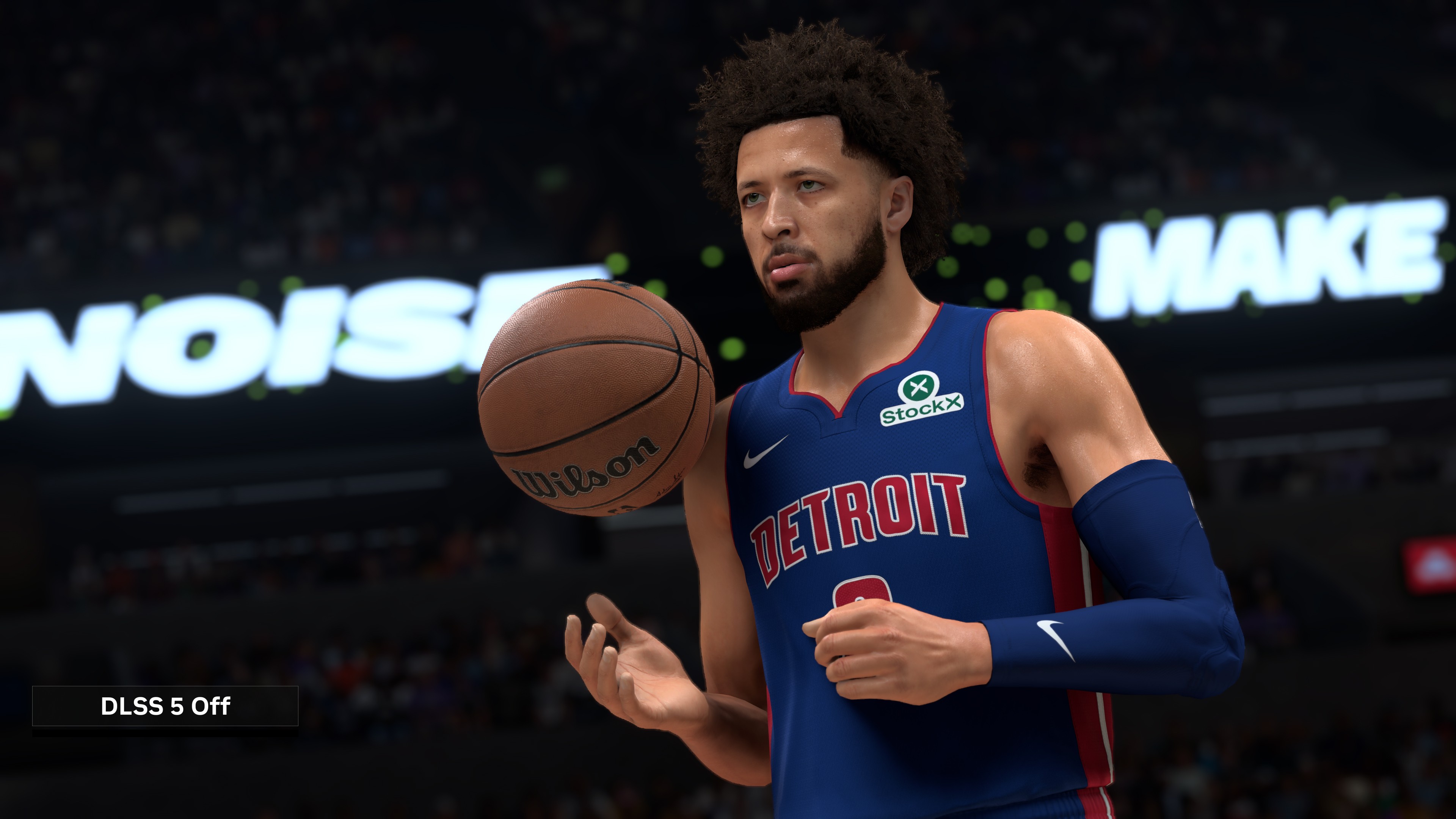
NBA 2K27 — DLSS Neural Rendering OFF (NVIDIA)
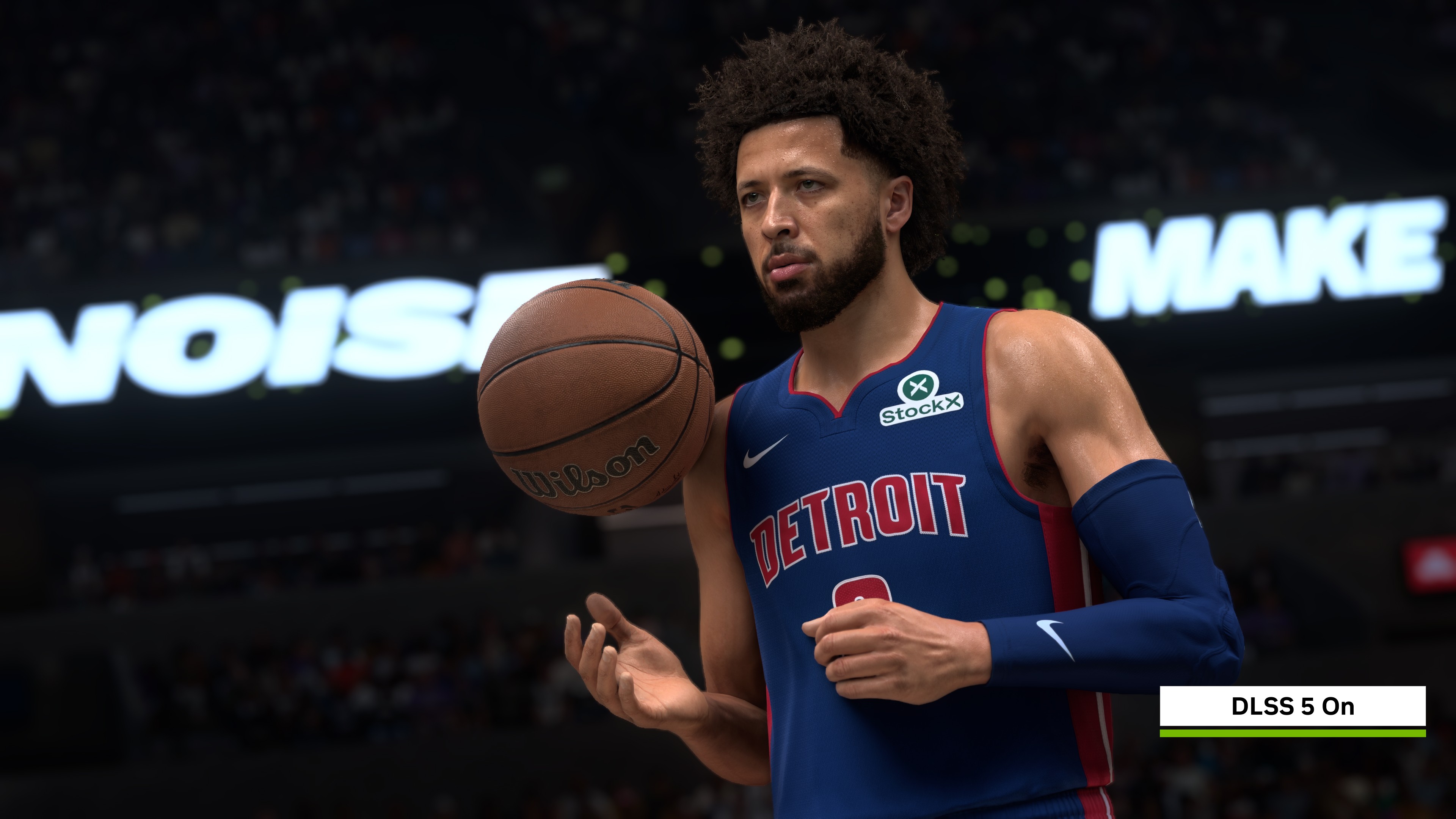
NBA 2K27 — DLSS Neural Rendering ON (NVIDIA)
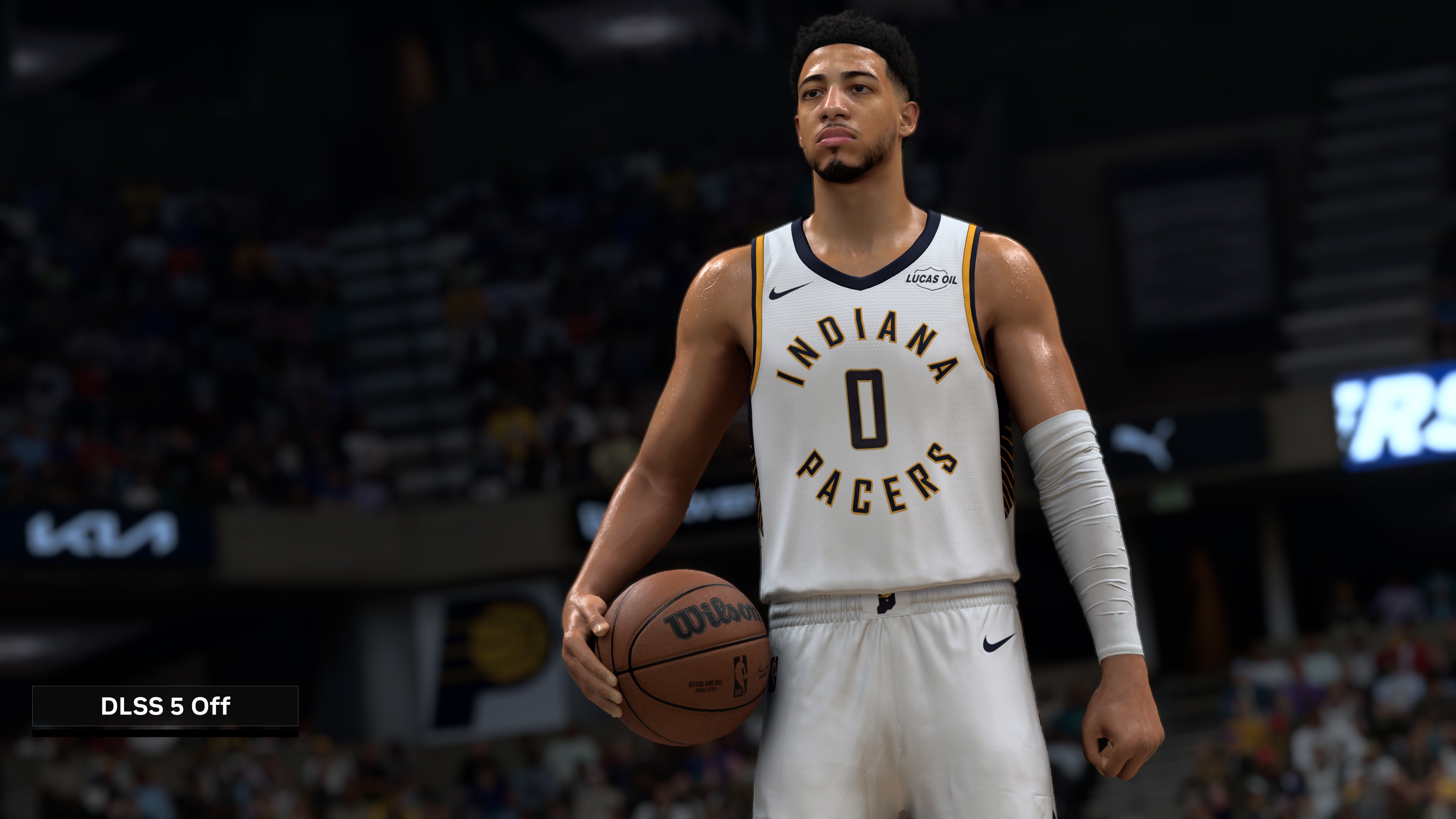
NBA 2K27 — OFF (Haliburton pair / NVIDIA)
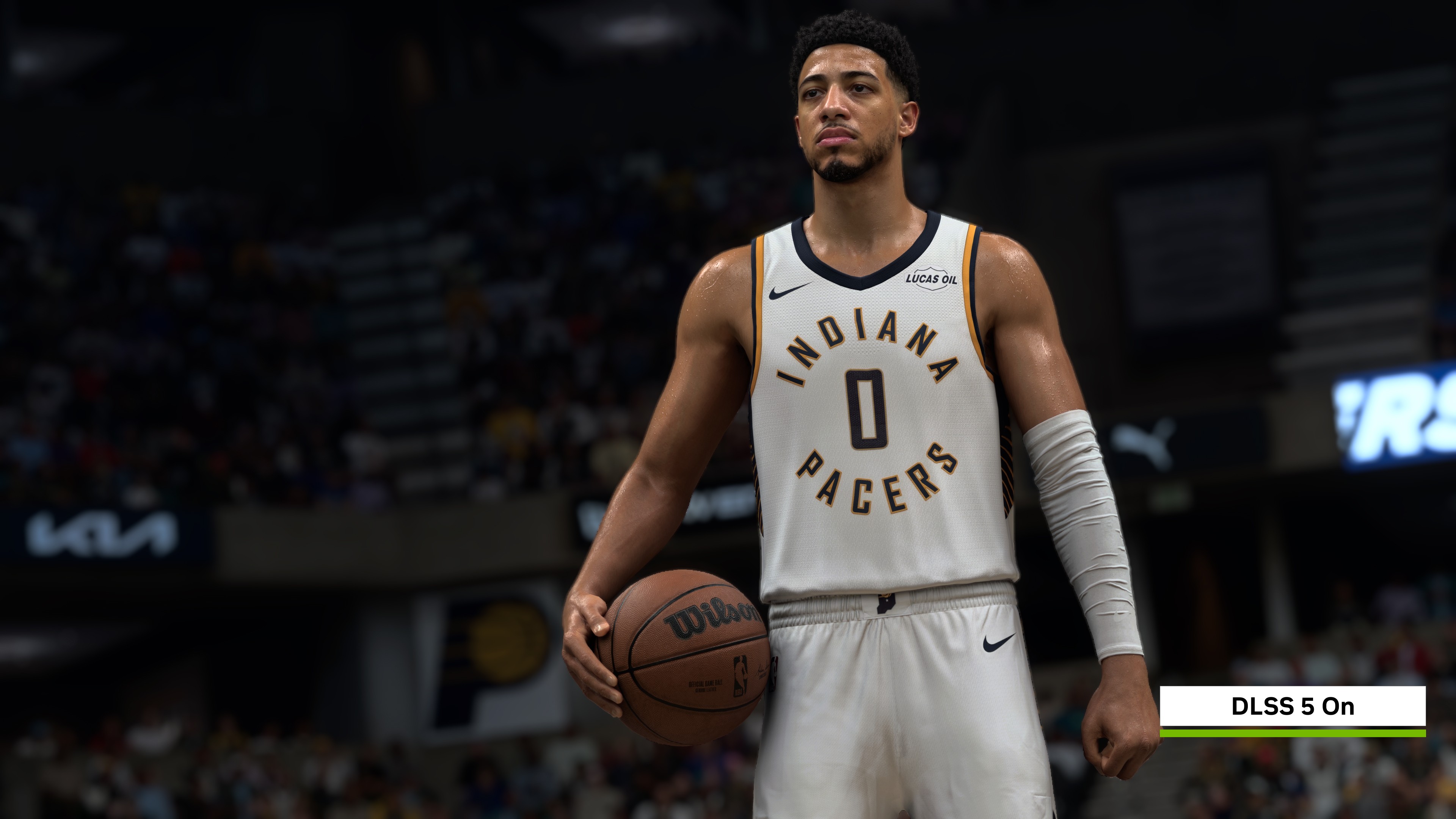
NBA 2K27 — ON (Haliburton pair / NVIDIA)
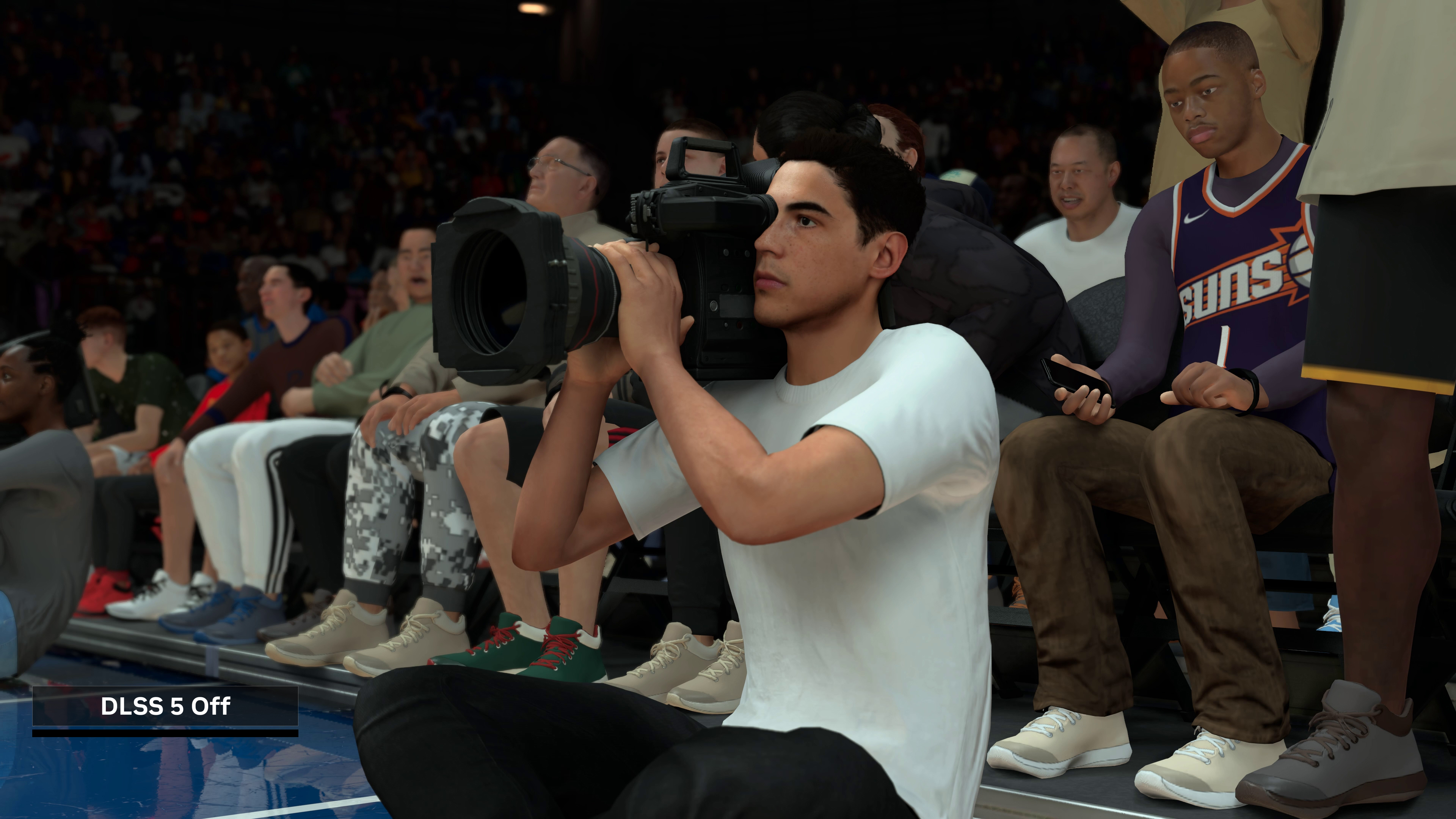
NBA 2K27 — OFF (crowd / courtside / NVIDIA)
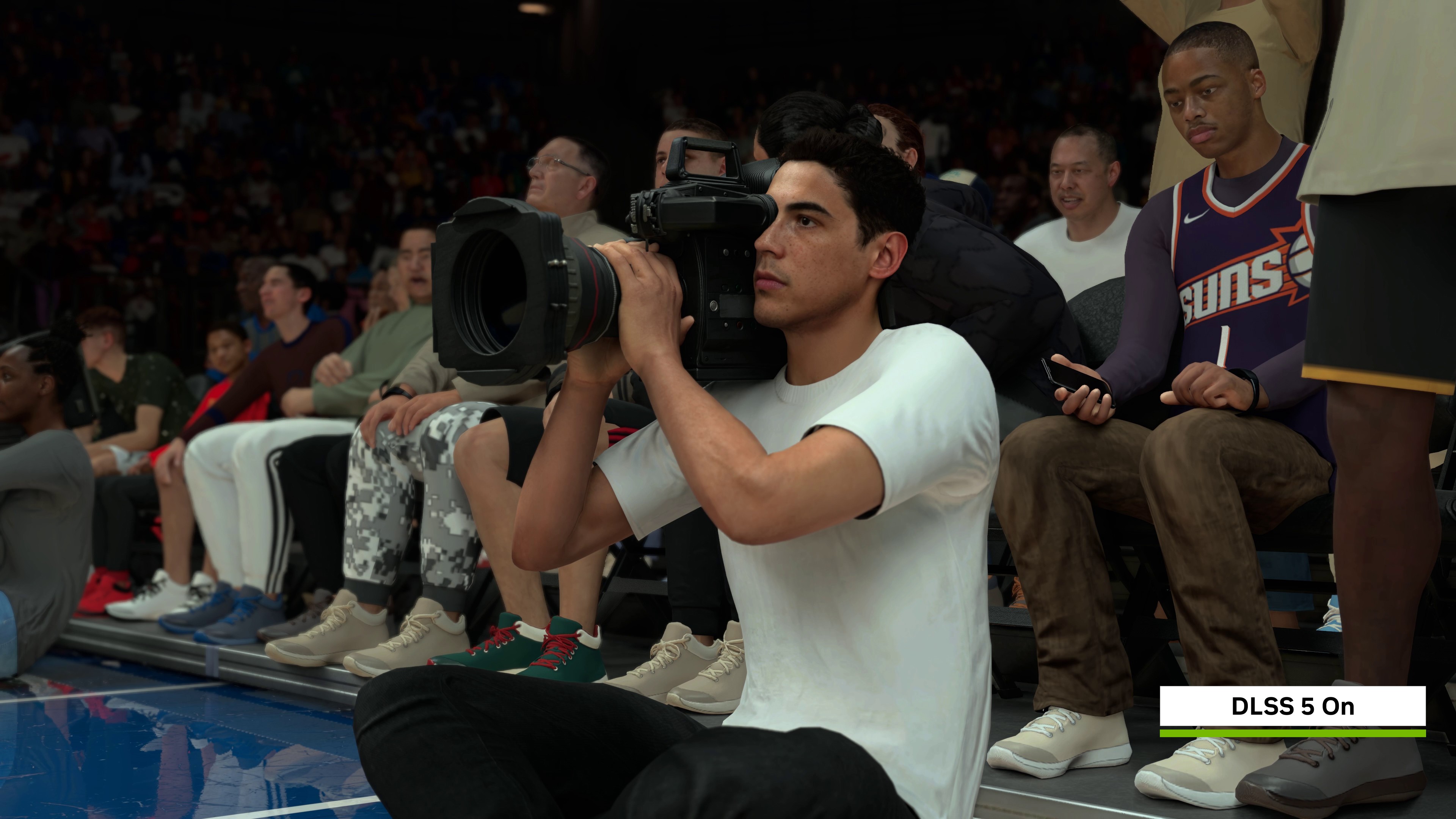
NBA 2K27 — ON (crowd / courtside / NVIDIA)
Independent review pairs
DSOGaming's NBA 2K27 DLSS 5 impressions publishes left/right OFF vs ON stills from Replay (close-ups stronger than mid-gameplay cameras; crowd improves a lot). Prefer a desktop monitor—phone screens flatten the delta.
In-game toggle tip from NVIDIA: after driver 616.64 WHQL, Video Settings → DLSS Neural Rendering On; F9 toggles during gameplay/replays.
The issues people are actually arguing about
1) Official hardware lock: RTX 50 only
Asked whether DLSS 5 is RTX 50-series only, NVIDIA told TechPowerUp "Yes, it is." Priority is Blackwell fifth-gen Tensor cores; there is no fallback path for RTX 40 or older in the official story. NVIDIA's softer line on legacy cards (Wccftech) is that the model is their largest/most complex yet and focus stays on RTX 50—not a confirmed Ada/Ampere roadmap. Modders have forced leaked/modded builds onto older cards; that is community behavior, not NVIDIA support.
2) A large base-frame performance tax
NVIDIA-facing coverage (Wccftech) puts the average impact around 50–60%. That is why launch charts lean hard on Multi Frame Generation (often 6× in NVIDIA's NBA 2K27 slides) plus DLSS Super Resolution Quality. Displayed FPS can look huge while the engine's own frame rate—and how the game "feels"—is a different number. HotHardware's hands-on commentary on NBA 2K27 makes the same distinction: high MFG output can still feel soft if the base rate dips.
3) Power and thermal headroom on top cards
Independent early testing with community injection (summarized across outlets; Tom's Hardware's early Optiscaler-based exploration is one of the better-known threads) keeps hitting the same pattern: neural rendering saturates Tensor workload and can pin high-end cards at board power limits. Treat any specific watt number as lab-specific until you read the original methodology; the durable point is power ceiling + connector limits matter more than the marketing FPS overlay.
4) Artist intent vs modded screenshots
For native titles, NVIDIA says end users get an on/off experience matching developer intent; the fancy sliders are developer tools (Wccftech). Online before/after montages often come from modders tweaking parameters—useful as demos, not as "what NBA 2K27 ships."
5) Launch footprint is still thin
TechPowerUp dates the consumer launch with NBA 2K27 (Friday of their preview week), on GeForce RTX 50 desktops/laptops and GeForce NOW. Broader library coverage depends on developers integrating via Streamline-style paths.
| Issue | What is confirmed | Caveat |
|---|---|---|
| Neural rendering ≠ upscaling | Adds lighting/materials; no reconstruction ground truth | TechPowerUp briefing |
| Official GPU support | RTX 50-series only at launch | NVIDIA to TechPowerUp |
| Performance cost | ~50–60% average impact (NVIDIA-facing) | Demos often pair MFG + SR |
| Latency type | No FG-style next-frame wait; model cost on current frame | Wccftech Q&A |
| Legacy cards | No official fallback; mods exist | Unsupported / quality varies |
| Native vs mod visuals | Native = dev-tuned on/off | Mod screenshots ≠ shipped look |
How to apply DLSS 5 via DLSS 5 Swapper (community tool)
Repo: rakanki911/DLSS5-Swapper (MIT, Windows 10/11 x64). Latest documented release in the README is v2.2.1.
Download links (official release assets)
- Windows Installer —
DLSS5-Swapper-Setup-2.2.1.exe - Portable —
DLSS5-Swapper-2.2.1-portable.exe - SHA256 checksums
- Release notes v2.2.1
Practical apply flow (from the project's own docs)
- Pick an install path. Use the Setup EXE or the portable build from the links above. Prefer verifying the hash against
SHA256SUMS.txt. - Launch and let it find your library. It can pick up Steam, Epic, GOG, modern Xbox Game Pass folders, plus manually added games/emulators. Full-drive scanning is off by default; turn it on only in Settings if you want it.
- Choose a route that matches your GPU/game:
- ReShade / DLSS5-Feeder: README lists RTX 20/30/40/50 (older-series behavior attributed to the bundled modified runtime's author). Route for many non-native or older API titles; DX8 goes through dgVoodoo2 → DX11 → Feeder.
- OptiScaler: RTX 50 only, NVIDIA driver 616.56+, 64-bit games that already have native DLSS enabled. Not the emulator/non-DLSS path. For Vulkan backend changes, restore originals first.
- Install to the selected game, keep the built-in backup/history so you can restore originals. Right-click a title to open/copy folder, rescan, restore, or hide.
- Optional overlay (Feeder + RenoDX v4.7 only): install with DLSS from one switch; press F8 in-game to move Neural Rendering sliders. Overlay is not offered for OptiScaler. While the panel is open, the game gets no mouse/keyboard input (by design).
- Emulators: select the emulator folder and active renderer, then use ReShade/Feeder. Supported list in the README includes DuckStation, PCSX2, RPCS3, Dolphin, Ryujinx, yuzu-family forks, RetroArch, and others—compatibility still varies.
Hard warnings the README itself puts first
- Anti-cheat: red warning + optional confirm; injection can crash or ban; the app does not bypass anti-cheat.
- Feeder needs Visual C++ runtimes (x64; x86 for 32-bit games). Some components download on first use.
- Compatibility is not guaranteed; existing mods can conflict.
- Linux/Proton is experimental community source only—no Linux binaries in this release.
This tool is a third-party MIT project, not NVIDIA GeForce Experience / App. Expect breakage when games update, when drivers change, and especially online.
Why it matters
- Marketing FPS for DLSS 5 is usually a stack (neural render + SR + MFG), not a free lunch on base latency.
- Official playability story is still RTX 50; everything else is mod territory with different risk.
- If you only need "try Neural Rendering on a supported title," prefer the in-game toggle once a native patch ships; use Swapper when you knowingly accept community injection tradeoffs.
FAQ
Is DLSS 5 just better DLSS Quality mode?
No. Per NVIDIA's technical briefings, DLSS 5 Neural Rendering generates additional lighting/material response. Super Resolution remains a separate reconstruction feature and is often combined with it in demos.
Can RTX 40 run it officially?
NVIDIA told TechPowerUp official support is RTX 50-only. Community mods can force older GPUs; that is unsupported and often slow.
Is DLSS 5 Swapper safe for online games?
The project's own README warns about anti-cheat crashes and bans. Treat online/competitive titles as high risk.
Where do I get the installer?
Only from the GitHub Releases page for rakanki911/DLSS5-Swapper—installer, portable EXE, and SHA256SUMS for v2.2.1 are linked above.
Sources
- NVIDIA DLSS 5 Technical Preview — Neural Rendering is Here (TechPowerUp)
- NVIDIA DLSS 5 performance unveiled — ~50% penalty, RTX 50 focus (Wccftech)
- NVIDIA DLSS 5 neural rendering tested (HotHardware)
- DLSS 5 Swapper repository
- DLSS 5 Swapper v2.2.1 release
*Comparison stills in the gallery above: NVIDIA GeForce News promotional assets (© NVIDIA / Visual Concepts / 2K), linked from NVIDIA CDN.
Image: "2023 Gigabyte GeForce RTX 4070 Aero OC 12GB (1)" by Jacek Halicki, CC BY-SA 4.0, via Wikimedia Commons. Ada-generation card photo for illustration — official DLSS 5 support is RTX 50-series.
← Back to all posts